Is the board resetting?
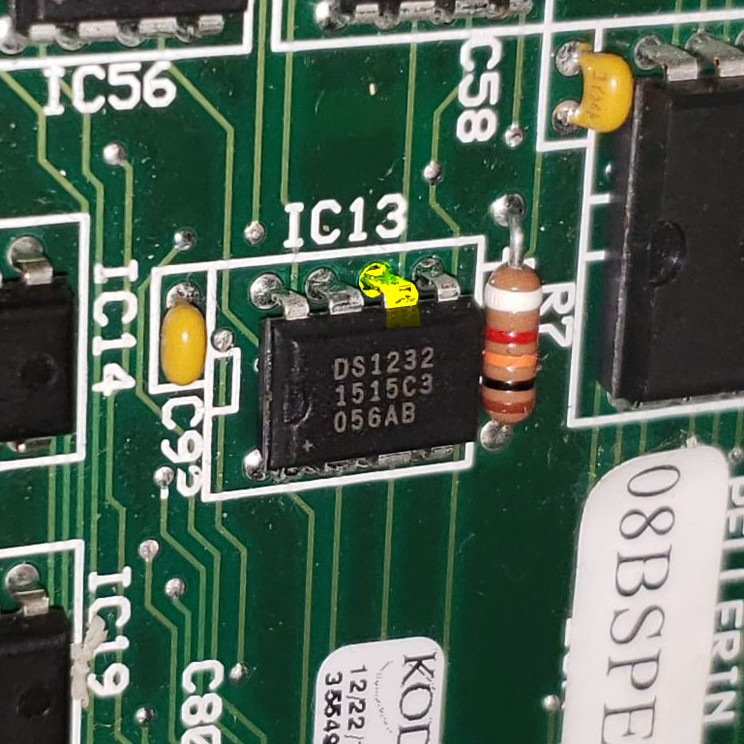
The 08BSPE## series of processor boards have a chip that can help us know when the processor is resetting itself constantly. This chip will maintain 5VDC when the processor is running appropriately, if not, the 5VDC will cycle between 5VDC and 0VDC.
- Locate the chip marked IC13
- Locate pin 6 (highlighted in yellow below)
- Locate DC ground (typically TB-7)
- Set meter for DC and measure from pin 6 to DC ground
- Note whether the 5VDC is steady or if it cycles on and off
5VDC that cycles is letting us know the processor is resetting constantly. This is typically a software issue. Check the pins for the EPROM chip on the board. Verify the chip is seated correctly with the appropriate orientation.