The Milnor black box memory device allows data from one machine to be downloaded to the black box over a 485 serial link. The box also needs 5 volts applied to operate. These connections were provided on most machines with a 9 pin download plug.
Today we recommend a picture library be taken of the machine programming rather than using this archaic method, but if you have one, it just might work.
Here are some helpful hints on the software. Also know that downloading memory is covered in the machine manual provided with your machine.
There were software version for the box and requirements for new machinery was added to the software on the memory box. You have to pop the box open to find out which software you have. Early version may not work with later machines without later download box software.
KXMIC00508 (Version with Transmit Button)
|
KXMIC00511 - MEM DOWNLOAD UNIT VGA/186 PROC (Version without Transmit Button)
This Kit is for the VGA Monitor/186 Processor however, it is no longer available.
If the Monitor is CGA/8088 Processor use KXMIC00570 / MEM DWNLD UNIT/CGA/8088 PROC
|
| 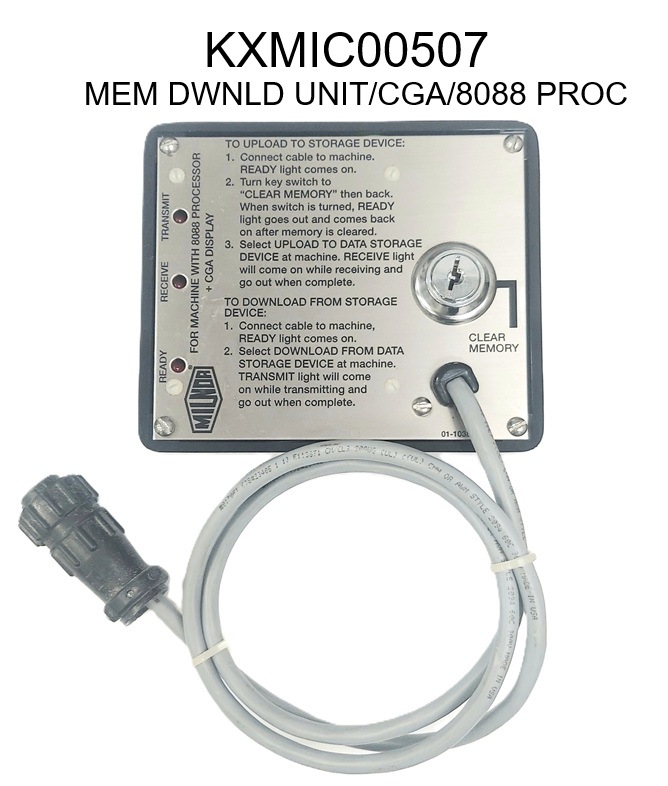 |
Table 1: DIP Switch Positions for Use with E-P Plus and E-P Express Machines (External Transmit Button Required)
| Processor Board Part Number | Processor Board Revision Code | Machine Software and Revision | Storage Device Software and Revision | DIP Switch Setting |
|---|
| 30015HxJ and 30022HxJ Models |
| 08BH18EPDT | K | WUH7JA/2200E | WUNTIA/00008 | E |
| VxJ Models |
| 08BH18EPDT | K | WUV7J1B/2200K | WUNTIA/00008 | E |
| 30015T5X & 30022T5X Models |
| 08BH18EPYT | K | WUEXPRSA/22004 | WUNTIA/00008 | E |
| All E-P Express Gear Guardian Models |
| 08BH18EPYT | K | WUT5XGGA/22GGF | WUNTIA/00008 | E |
Key:
A - All switch positions OFF
B - Position 4 ON, all others OFF
C - Position 5 ON, all others OFF
D - Positions 1 & 5 ON, all others OFF
E - Positions 4 & 5 ON, all others OFF |
Table 2: DIP Switch Positions for Machines Requiring an External Transmit Button
| Processor Board | Machines Software Versions | DIP Switch Setting |
|---|
| Washer-extractor Models other than Fxx |
| 8088 | All | C |
| 80186 | 98000-98003 | C |
| 98004-99004 | Not Supported |
| 99005-9900B | D |
| 20000-20003 | D |
| FxW, FxP, FxN, FxS, FxR Washer-extractor Models |
| 8088 | All | C |
| 80186 | 98000-98003 | C |
| 98004-98009 | Not Supported |
| 9800A-9800H | D |
| 20000-2000B | D |
| 2100F and later | D |
| Textile and Dye Machines |
| 8088 | All | C |
| 80186 | 95000-95305M | C |
| 95305N-95306 | D |
| 20000-20004 | D |
| Dryer Models |
| All | All | C |
| Centrifugal Extractor Models |
| All | All | C |
| Single Stage Press |
| 8088 | All | C |
| Key:
A - All switch positions OFF
B - Position 4 ON, all others OFF
C - Position 5 ON, all others OFF
D - Positions 1 & 5 ON, all others OFF
E - Positions 4 & 5 ON, all others OFF
|
Table 3: DIP Switch Positions for Machines NOT Requiring an External Transmit Button
| Processor Board | Software Version | DIP Switch Setting |
|---|
| Miltron Controller for CBW System |
| 8088 | All | A |
| 80186 | All | B |
| Miltrac |
| 8088 | All | A |
| 80186 | All | B |
| Milrail Rail Controller |
| 8088 | All | A |
| 80186 | All | B |
| Device Master |
| 8085 | All | Not Supported |
| 8088 | All | Not Supported |
| 80186 | 94000-94017 | Not Supported |
| 94018, 20000-present | B |
| Linear Costo Master |
| 8085 | All | Not Supported |
| 8088 | All | Not Supported |
| 80186 | 94000-94011 | Not Supported |
| 20000-present | B |
| Key:
A - All switch positions OFF
B - Position 4 ON, all others OFF
C - Position 5 ON, all others OFF
D - Positions 1 & 5 ON, all others OFF
E - Positions 4 & 5 ON, all others
|
Alternative options to the Download Box:
10MIC00510 - EXTERNAL DOWNLOAD CABLE 10FT (Pictured)
KXMIC00525 - EXTERNAL DOWNLOAD CABLE 25FT.
KXMIC00550 - EXTERNAL DOWNLOAD CABLE 50FT
Cables have two circular 9 pin female plugs | 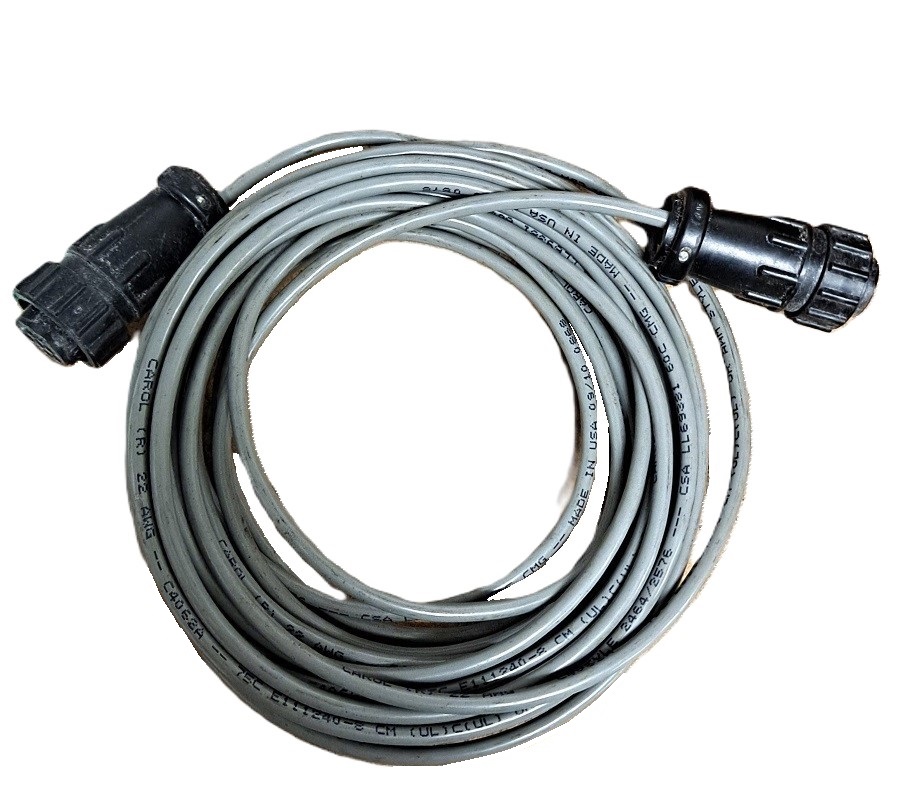 |


